Digital Scores Made Simple
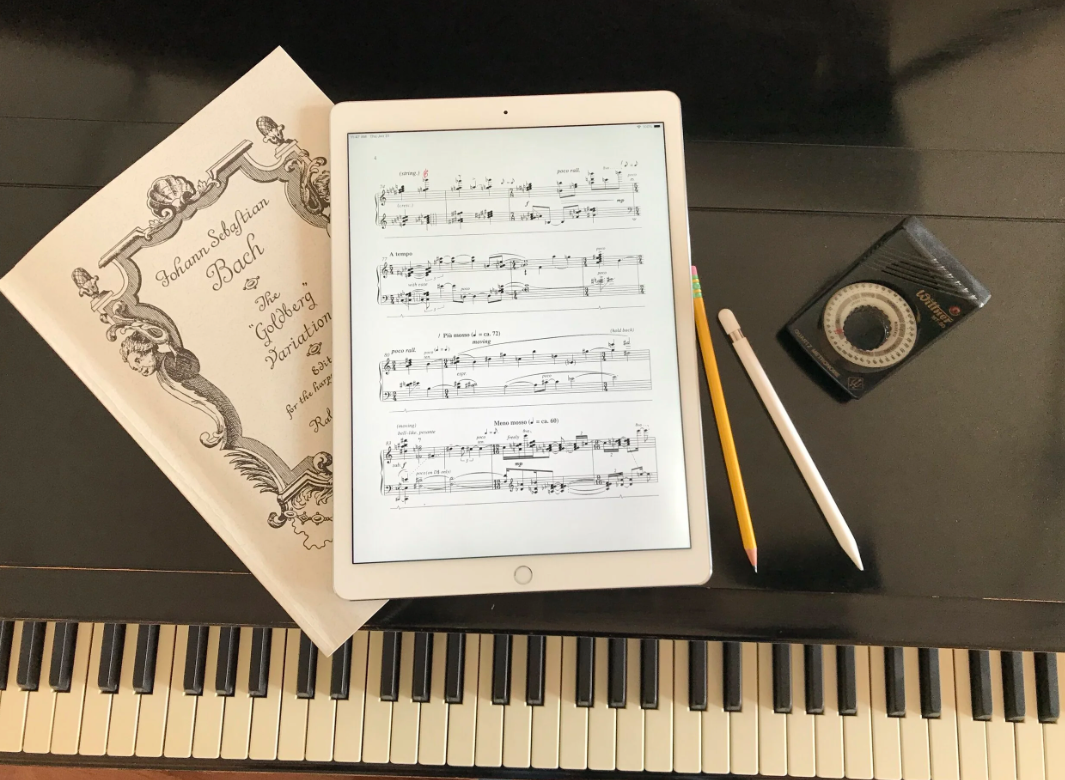
Wed Oct 14 at 11 AM - 12 PM PDT
Event by Team

RESCHEDULED: October 14th, at 11am PT

Ready to make the move from paper scores to a tablet?


Join us for a practical livestream on using digital score apps like forScore for iPad and MobileSheets for Android.


We’ll walk through how to import and organize scores, add fingerings and annotations, create setlists, use Bluetooth pedals for page turns, handle repeats, back up your library, and set up your tablet for practice and performance.


You’re welcome to download forScore or MobileSheets beforehand and follow along during the livestream, but it’s not required. You can also simply watch, learn how the apps work, and decide later whether digital scores are right for you.


Whether you already use a tablet or are just curious about getting started, bring your questions for a live Q&A.

36 replies

null
    • Unfrozen Barroom Piano Player
    • Peter_G
    • 1 mth ago
    • Reported - view

    I've always annotated my scores heavily with pencil, but I'm trying to get comfortable using ForScore on my iPad Pro -- because this combo offers so many potential advantages and efficieincies.

    But I'm finding that for me it's very slow going. I always have to go back and edit my markings: for example, when adding a fingering or a slur or other marking, my hand might slip a little, making for a very messy or inaccurate marking which then I must go back to, erase, re-enter, and so forth; or if I'm trying to edit a textual entry, I have to fiddle with getting the cursor in the right place, or I accidntally start a new entry in the wrong place, etc. etc. and so I get totally distracted by wrestling with the interface when all I might want to do is make a simple annotation that has occurred to me and then get back to my practicing.  More often than not, I lose my patience and reach instead for my pencil.

    I assume that others have gone through this same process and that it gets better with practice and experience??  I'd love to hear about other players' comments, experiences, and tips & tricks, and I'll be attending and watching this event with great interest!

      • Larry_K
      • 1 mth ago
      • Reported - view

       I am sticking with Blackwing Matte pencils and paper after trying ForScore with a Bluetooth pedal. I struggled with both the marking interface and the page turning interface.

      I don’t like having only one page of music in front of me.

      My classical guitar teacher complained about the amount of time it took his students to mark up a measure. He was like, ok, this is annoying but I’m still getting paid, lol.

      I gave my new teacher a gift of a few Blackwing pencils along with the dual red/blue Mitsubishi pencils. She was delighted.

      Good luck with it! I know a lot of professional players use ForScore. I have spoken to some about it.

      I use StaffPad with the Apple Pencil on an iPad Pro to write up my recorder exercises so that I can play along with recorded samples.
      A pencil is the world’s fastest input device. The StaffPad interface comes close to using a real pencil but that’s not your use case. 

      • hot4euterpe
      • 1 mth ago
      • Reported - view

       Just to clarify Peter, do you have an Apple Pencil with your iPad Pro? I mostly just write directly on the score with my Apple Pencil the same as I would with paper and pencil. I would definitely find it awkward to use just finger presses.

      Just checking! Some people still find using digital pencil awkward as well!

      • Unfrozen Barroom Piano Player
      • Peter_G
      • 1 mth ago
      • Reported - view

       Yes, good question Dustin, I was thinking I needed to add this, Yes I do use an apple pencil.  My hand still slips around and all of that.  But I should be able to improve that;  after all we are piano players here, and if nothing else we should be able to exert some control over the small muscle movements in our hands! Still, I've always been a sloppy writer, as my secretary would certainly confirm.

      • Unfrozen Barroom Piano Player
      • Peter_G
      • 1 mth ago
      • Reported - view

       thanks Larry; I'm going to be stubborn and stick with this to see whether I can get beyond this inefficient stage.  Meanwhile, my real pencil is never out of reach when I feel myself at risk of defenestrating my iPad....

      • Larry_K
      • 1 mth ago
      • Reported - view

       Good luck!

      I spent the last four years of my career writing an app for the iPad. I think it’s a great device.

      I took hundreds of pages of written notes on an iPad Pro.

      I used a screen protector that made the screen feel more like paper. I also changed the tip to a pencil-like type,

      https://shop.astropad.com/products/rock-paper-pencil?_ga=2.229371804.1649872940.1786544648-253613093.1786544648&_gac=1.54811353.1786544648.CjwKCAjws_DTBhB_EiwAXZknGd96GW-01vdaaB1xOtal1t6cVaihbGT6NSNZj9TuJ83tx98xQZlPihoC4cYQAvD_BwE

      This would help you from sliding around so much.

      • Akzent oder Diminuendo?
      • Maria_F
      • 1 mth ago
      • Reported - view

       I also only use paper. I own at least 50 books of sheet music. 

      • Larry_K
      • 1 mth ago
      • Reported - view

       I understand. I went back to paper.

      I recommend the Blackwing Matte pencils. They make a dark line. My teacher said it was a great pencil. 

      https://blackwing602.com/products/blackwing-set-of-12

      Yes, they’re expensive.

      • PViseskul
      • 12 days ago
      • Reported - view

       I'm also on pencil and paper ... tried once and frustrated that I couldn't write how I would on paper. Still, I may eventually need a digital option if ever I were to take online lessons. But for now ... pencil it is ... and may I add a good eraser! The staedtler plastic eraser I had before almost made a hole on my score and left plenty of smudges on the page, enough for me to head straight to a proper art supply shop. I gave my teacher one (he was using the end rubber of a mechanical pencil ... unbelievable). He said that was life changing and his scores are so much cleaner now 😂

      • Larry_K
      • 12 days ago
      • Reported - view

       I use this Faber-Castell eraser and love it,

      [Pack of 4] Faber-Castell LARGE... https://www.amazon.com/dp/B06Y2CWLB5?ref=ppx_pop_mob_ap_share

      I gave one to my teacher and she absolutely loves it.
       

      At my last lesson, she erased 90% of my pencil marks, haha! She said that adults often write in too many fingerings.

      I also gave her a couple Blackwing Matte pencils and she loves those too. 

    • Peter_William
    • 1 mth ago
    • Reported - view

    I got  a foot pedal a few days ago and it works great for page turning. No need of setting up 5 pages in sequence carefully on the piano - just a light tap with the foot and it swiches the page. 

    • Unfrozen Barroom Piano Player
    • Peter_G
    • 4 days ago
    • Reported - view

    Here’s an update to my post of a month ago.  I made myself continue to use ForScore, and it has, in fact, become significantly easier. 

    E.g. my trying to mark out Sections of the piece  with large Capital letters inside a Box or a Circle by hand was annoyingly sloppy, irregular and subject to hand slips requiring multiple Undo’s and Redo’s. But then I discovered/figured out that the App  had features that made this fairly easy to do, as follows:  [this will be old news to most users]:  

    1. Tap on the Text icon in the Menu with your Apple pencil, then tap on the place in the score approximately where you want to put it.  .

    2. This inserts a Field on the score with 2 circular handles on either end. You don’t have to worry yet about the precise location, so don’t fuss with it (see 5 below). 

    3. Tap the 3 dots and pull up the Format/ Font editor.  .Select Your color and font size.  Make them the DEFAULT for the time being so you don’t have to repeat it each time.

    4. Type in the text letter with your iPad (I use a Bluetooth keyboard). You can also write it and the App will translate it to a printed text letter if your writing is not too sloppy. (—this did not work for me)

    5. Then tap outside the Field to shut off the text inside. Then by tapping on the left handle of the text Field and holding it, you can drag the Field to an optimal location in the score. The right handle can be Tapped & dragged in to shorten the width of the Field.

    6. Then you tap on the Shape icon in the Menu. It might be a square or an oval or circle depending on how you last left it.  Choose your desired shape (for me it was a square) & format its color etc.

    7. Then you can hand-draw your sloppy irregular square around the texted letter and the App converts it to a nice, evenly printed square.

    8.  This worked for other short  text input as well -with or without the squares; e.g. I labeled my Fugue subjects  Subject #1, Subject #2, etc., fairly quickly with little or no IFF (InterFace-Fiddling)

    9. For longer text notes you can also use the Microphone icon to dictate the text. But then this will require editing the text, which I find annoying and counter intuitive to do on iOS devices.  But I dictated my notes in, and left them as is, so as not to interrupt my work flow.  ThenI edited them later “from the comfort of my easy chair”.

    There you have it, a classic Boomer over-explanation of things that are already self-evident to Millennials and GenXers!
      • Sam_Smith
      • 4 days ago
      • Reported - view

       Peter, I'm a Boomer too, but that does seem overly complicated. I use an ipad, forscore, and an Apple pencil. I just use one of the colored lines and write with the pencil. I can read my own writing, but no one else can. Anyway, much faster and easier for me than trying to use the text feature.

      • Unfrozen Barroom Piano Player
      • Peter_G
      • 3 days ago
      • Reported - view

       dear Sam thank you very much for this feedback. It’s very useful & relevant information that you — especially as a fellow boomer — have found that freehand with the pencil works for you. I won’t give up on the pencil and suspect that I’ll be tempted to experiment with it once my 9-10 step process starts to seem unnecessarily tedious. It’s true here too that I can read my own writing and no one else really needs to read my score markings.    But with these early efforts the issue for me seemed more one of co ordination than legibility. My hand would slip, my circles didn’t close the loop, my letters distractingly sloppy, etc. etc. — all things that would probably improve with patience and practice. I’m greatly looking forward to Dominic’s session.  I’m confident I’ll get more out of it after having wrestled with the App these past few weeks and pondering feedback from you & others. Thanks again!

      • Sam_Smith
      • 3 days ago
      • Reported - view

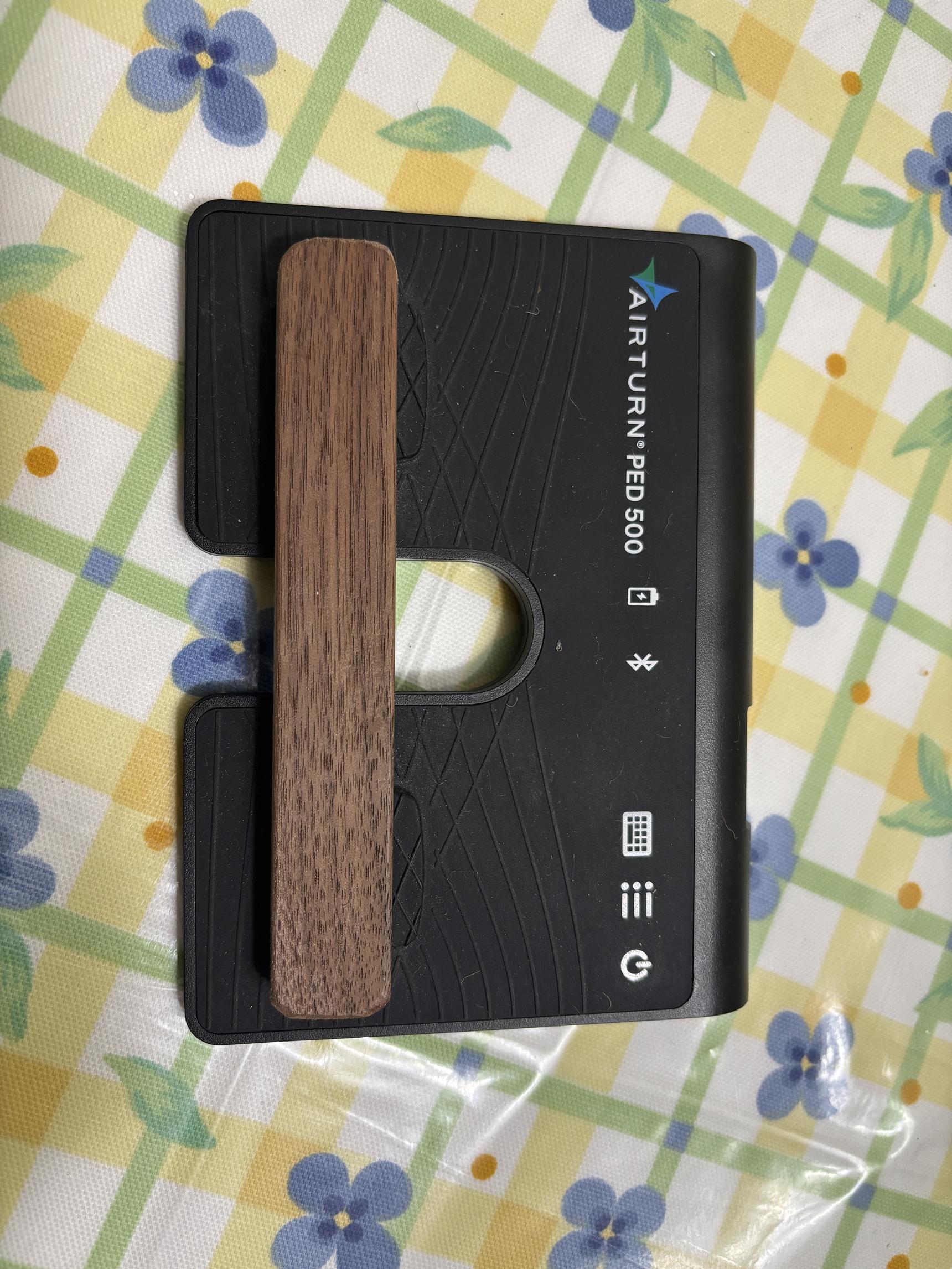
       I have been using the ipad, forscore, and the Apple pencil almost 8 years now, so it has become second nature. I did experiment with a screen cover that added more "tooth" to make it easier to write with the pencil, but there were annoying bubbles underneath that I could not get rid off, no matter what the marketing hype said. I use a Airturn PED 500 to turn pages, which is the third pedal I have used. I use the programming app to set it so that both buttons go forward - no going back. I also glued a bar of wood across to make a bigger target for my foot - picture below. If there are repeats in the music that require going back I use forscore to duplicate and rearrange pages so that I am always going forward. I also insert blank pages with forscore at the beginning and use them to make notes (freehand with the pencil) about analysis and research I have done on the piece. And practice goals and milestones - very useful.

      • Larry_K
      • 3 days ago
      • Reported - view

       I am curious. Which screen protector did you use? I don’t remember any bubbles when using the Rock Paper Pencil cover from Astropad.

      I took over five hundred pages of notes for work on a 13” iPad Pro with the Apple Pencil and Notability.

      Here is a link to Rock Paper Pencil,

      https://shop.astropad.com/products/rock-paper-pencil

      At my last lesson, my teacher erased 90% of my pencil marks. Haha! She said it is common for adults to write in too many fingerings. 

      I know some will disagree.

      I think I need more fingerings when first learning a piece and then, I never erase them. I was fine without them.

      I came up with the idea of using clear sheets over the score and wet erase markers to write in copious fingerings when starting and then writing in the minimal set after I learn it.

      This is the film,

      Grafix Dura-Lar Film, .005 in,... https://www.amazon.com/dp/B002542SZY?ref=ppx_pop_mob_ap_share

      I love that stick! “Forward” is a good motto for life.

      • Sam_Smith
      • 3 days ago
      • Reported - view

       It was the "Paperlike" screen protector. According to Amazon that was way back in 2022. Maybe I need to revisit that problem with your suggestion...

      • Larry_K
      • 3 days ago
      • Reported - view

       Did it come with replacement tips for the Apple Pencil? The Astropad comes with tips. I think they help with grip. 
       

      The V4 version of Rock Paper Pencil now comes with four tips. They try to make the Apple pencil feel like a ballpoint or a graphite pencil.

      These days, I am no longer taking notes for work, as I have retired. 

      I write up music exercises using StaffPad and the Apple Pencil. I think it’s neat to get music recognized from a few sloppy slashes.

      • Sam_Smith
      • 3 days ago
      • Reported - view

       Thanks Larry, I ordered a Rock Paper Pencil kit - will report back. 

      I am retired too - having fun!

      • Larry_K
      • 3 days ago
      • Reported - view

       I look forward to hearing your opinion of that screen protector. 

      Congratulations on your retirement! 

      I called “retirement” after writing software for almost forty years. What did you do?

      Sometimes, I feel useless but my piano teacher says, you’re practicing! That’s good enough for me, lol. 

      • Sam_Smith
      • 2 days ago
      • Reported - view

       I also worked in IT - retired 12 years now. I just used Claude AI to help write a piano history and tracking app, feeding it 16 years of data I had in an sql database. Surprised how easy it was! Maybe I should make a new discussion thread about that...

      • Unfrozen Barroom Piano Player
      • Peter_G
      • 2 days ago
      • Reported - view

       dear Sam, thank you so much for sharing with me the benefit of your well-thought-out solutions. That will probably save me months of frustrating experimentation. The piece of wood is brilliant! Does it mean that you can hit anywhere on that piece of wood with your foot and the page will turn? And no problems with the wood causing  both pedals to go down & the pages go too far forward?

      I admire you IT guys and your ability to utilize technology to devise practical solutions. I’ve always believed that software can provide a special window into ordering and structuring reality.I’ve never had a “feel“ for software. My stock in trade in my work has always been words. I’ve had to use a lot of software programs, but I just can’t seem to learn to think like a software engineer. Whenever I think I know intuitively what a particular command might be, it seems like I always guess wrong!

      But I do have one special talent, which is stubbornness. When I need to use a program, I dig deeply into it, print out the manuals into three ring binders, sometimes reading them cover to cover, take tutorials, and lately, I have found AI to be an excellent coach on specific software utilization questions. Currently one of my retirement projects is to teach myself database design, using Access, and I am making good progress there. 

      And Another is force-feeding myself the iPad and forScore.

      Back when I played piano bar gigs, I used to lug about 50 pounds of fake books with me so that I could play virtually any request. It was an ongoing challenge just to travel with them, and to keep them from being stolen, or grabbed and trashed by the customers, or  thumbed through by customers and issued an endless series of random requests that they didn’t really care about, etc., etc. I’ve seen young kids on gigs, as well as professional recitalists with their simple iPad set ups, and I said to myself “I have got to get myself there“!

      Thanks again  

      • Sam_Smith
      • 2 days ago
      • Reported - view

       Hi Peter, since I have both pedal switches set to go forward I can hit anywhere on the stick and turn the page. No problem with double page turns for me.

      • Larry_K
      • 2 days ago
      • Reported - view

       Ha, very funny, another computer nerd. I am not surprised. Many computer people love and play music.

      My favorite computer science professor in college was a church organist and played the piano. 

      Donald Knuth and Alan Kay, two giants in the computer field, both had pipe organs built for home use. Knuth was a church organist and Kay played jazz guitar.

      Bach and the Baroque seem to be common interests for computer science people.

      A dear friend of mine, who worked with me at IBM, left programming to become a doctor. He did it in his 40s! It was a stunning feat. He is now back to writing code with AI as part of his medical research.

      I have friends in the industry who lament AI because people no longer read and understand the code. Whole organizations wait for Claude AI to tell them what to do.

      If coding is no longer a human activity, as another friend claims, I retired at just the right moment.

      Honestly, I would rather read literary fiction and play the piano and recorder(s) at this point in my life.

      Yes, I use Claude AI, and pay for it. It has helped me out of jams when trying to configure my rather complicated music streaming signal chain on my two channel stereo. 

      Just the other day I made it walk me through the whole setup to check that I have indeed disabled volume normalization after it debugged how I had accidentally disabled my Roon server and killed streaming.

      Funny that you used Claude to write a practice app. I wrote one too for iOS but it was a miserable failure and didn’t earn me a dollar. Most users are young kids and it is problematic, and illegal under COPPA, to market to them.

      I also worked on a drug information app with my doctor friend but we were up against a company that took huge money from  Big Pharma, so, another failure.
       

      Without industry work, I’d have starved.

      I have a lesson today, fun, fun. I tried to give my spot away to a more deserving college student but my teacher refused, ha.

      • Larry_K
      • 2 days ago
      • Reported - view

       You inspire me with your “dintism,” to use a British word to describe the act of succeeding by never giving up.

      This word was used in a wonderful commencement address given by the cellist Lynn Harrell way back in 1994, when I was sawing away at the violin,

      https://theinstrumentalist.com/december-1994-the-road-that-never-ends-by-lynn-harrell/

      Seeing Yihan do those split-second page turns on the Prokofiev sonata made me think that digital was better than paper, if I ever played more than two pages, haha. 

      Then again, someone said I could use a whiteboard on the music desk to show perhaps eight or more pages, lol.

Content aside

Attendees

Stats

  • 36Replies
  • 289Views